How to Use the Matelix Pro: Official Step-by-Step Guide
What You’ll Need First
- 1 x Fumot Matelix Pro (unboxed from its protective pouch)
- One 10ml bottle of e-liquid (compatible with refillable pod systems)
Step 1: Remove the device from the pouch.
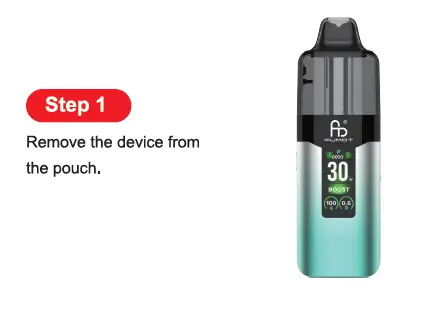
- Locate the sealed, protective pouch that encases the full Matelix Pro device (main body + attached cartridge).
- Open the pouch and remove the entire device assembly to begin the preparation process.
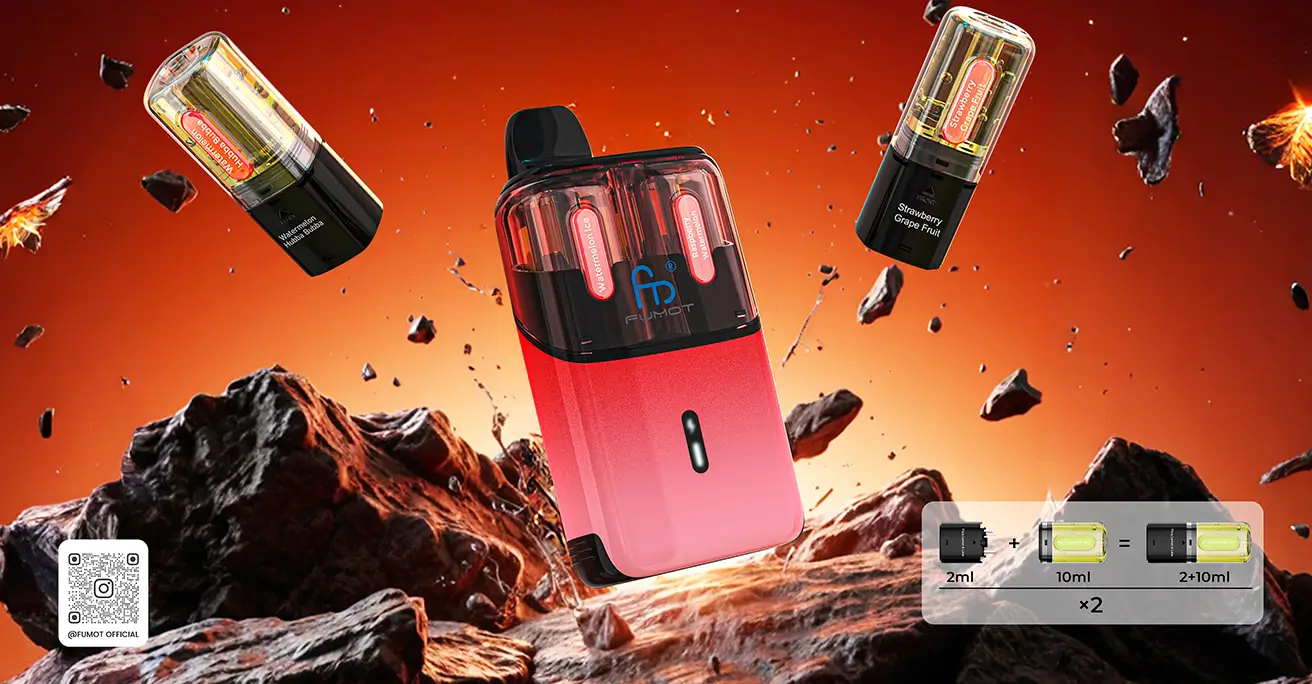
Step 2: Separate the cartridge from the device, remove the insulating sticker and silicone plug from the cartridge.
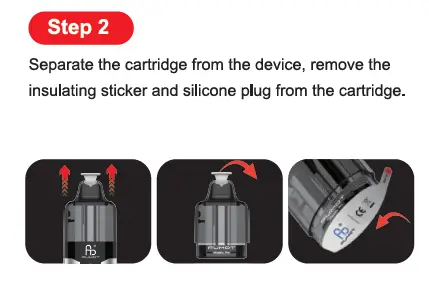
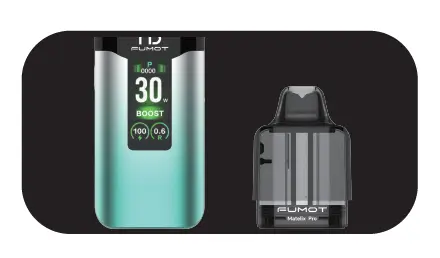
- Grip the Matelix Pro’s main body firmly, then pull the cartridge (the top pod component) straight upward to separate it completely from the device.
- Locate the insulating sticker (a thin, protective label) on the base of the cartridge (the area that connects to the main device) and peel it off—this deactivates the shipping safety lock for the coil.
- Locate the silicone plug (a soft, protective cap) that covers the cartridge’s mouthpiece (drip tip) (the top opening for vaping) and remove it.
Step 3: Open the silicone plug, fill the tank with one 10ml bottles of e-liquid, wait 2 minutes, and then start vaping.
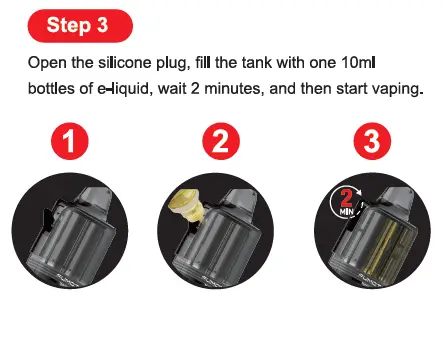
- On the side of the cartridge (not the top mouthpiece), locate the small, dedicated silicone plug that covers the e-liquid filling hole. Open the side silicone plug to fully expose the filling port.
- Position the nozzle of your 10ml e-liquid bottle directly over the side filling hole, then carefully inject the e-liquid into the cartridge’s tank. Do not overfill—stop once the e-liquid reaches the tank’s maximum fill line to prevent leaks.
- Close the side silicone plug firmly over the filling hole to create an airtight seal.
- Reattach the fully prepared cartridge to the Matelix Pro’s main device body, pressing down until it clicks securely into place.
Vaping Mode: BOOST–ECO
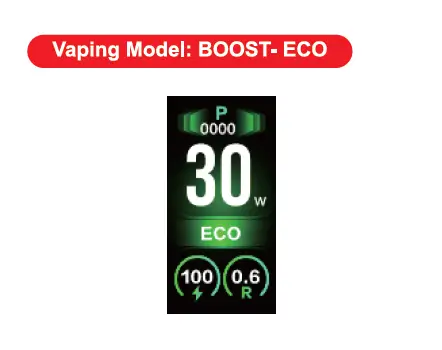
- BOOST Mode (26–40W): Delivers high power output for dense, voluminous clouds and amplified flavor intensity—ideal for cloud chasers.
- ECO Mode (15–25W): Optimizes power usage for extended battery life and smoother, milder draws—perfect for casual daily use.
Theme
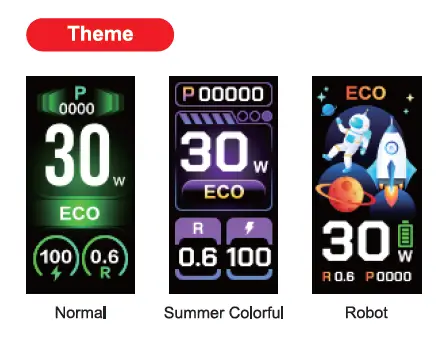
- Normal: A clean, minimalist interface that prioritizes readability of core metrics (power, mode, battery).
- Summer Colorful: A vibrant, dynamic theme with bold color schemes and lively background animations.
- Robot: A playful, space-inspired theme featuring futuristic robot and cosmic graphics.
Button Operation Instructions
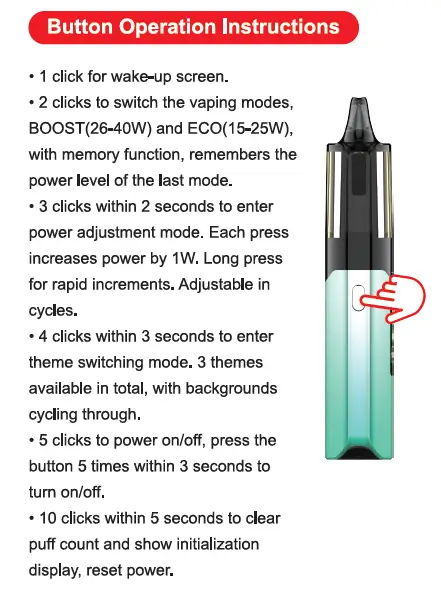
- 1 click: Wake up the device’s display (activates the screen from sleep mode).
- 2 clicks: Switch between BOOST and ECO vaping modes; the device retains your last power setting for each mode.
- 3 clicks within 2 seconds: Enter power adjustment mode. Each subsequent click increases power by 1W (for rapid fine-tuning); power levels cycle once the maximum is reached.
- 4 clicks within 3 seconds: Cycle through the three display themes (Normal → Summer Colorful → Robot).
- 5 clicks within 3 seconds: Power the device on or off (the primary power control function).
- 10 clicks within 5 seconds: Clear the device’s puff count and reset the initialization display—ideal for tracking fresh usage cycles.
Adjustment of Airflow
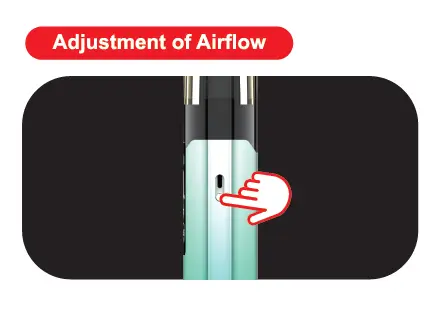
- Locate the airflow adjustment slider on the side of the Matelix Pro’s main body.
- Slide the control to your desired position:
- Tighter airflow: Concentrates flavor and delivers a more pronounced throat hit.
- Wider airflow: Produces cooler vapor, smoother draws, and larger cloud production.
Key Details From the Matelix Pro Product Page
- Coil System: Optimized for 0.6Ω mesh coils, which deliver consistent atomization across both BOOST and ECO modes.
- Smart Display: A 0.96-inch high-resolution screen shows real-time data including power level, mode, battery percentage, coil resistance, and puff count.
- Build Quality: A sleek, durable design that balances portability with robust construction, perfect for daily use and on-the-go vaping.
About Fumot Tech
Shenzhen Fumot Technology Co., Ltd specializes in the production, research, and sales of disposable vape devices and customized electronic cigarette hardware. Over the past decade, Fumot has introduced several vape brands, including Fumot, Supbliss, and Vome, earning the admiration of a vast consumer base.
We pride ourselves on pioneering hardware designs and infusing the most delectable flavors into our devices. With our formidable research and development, manufacturing, and marketing capabilities, our products have reached major markets, including North America, Southeast Asia, the UK, Europe, and Russia. Our mission is to provide customers with the finest disposable vape devices!
Be sure to share your vaping story and tag us on social media with the tags #fumot_official, #fumotvape, #supblissvape, or #vomevape.