How to Use the Throne 70K Shisha | Step‑by‑Step Guide
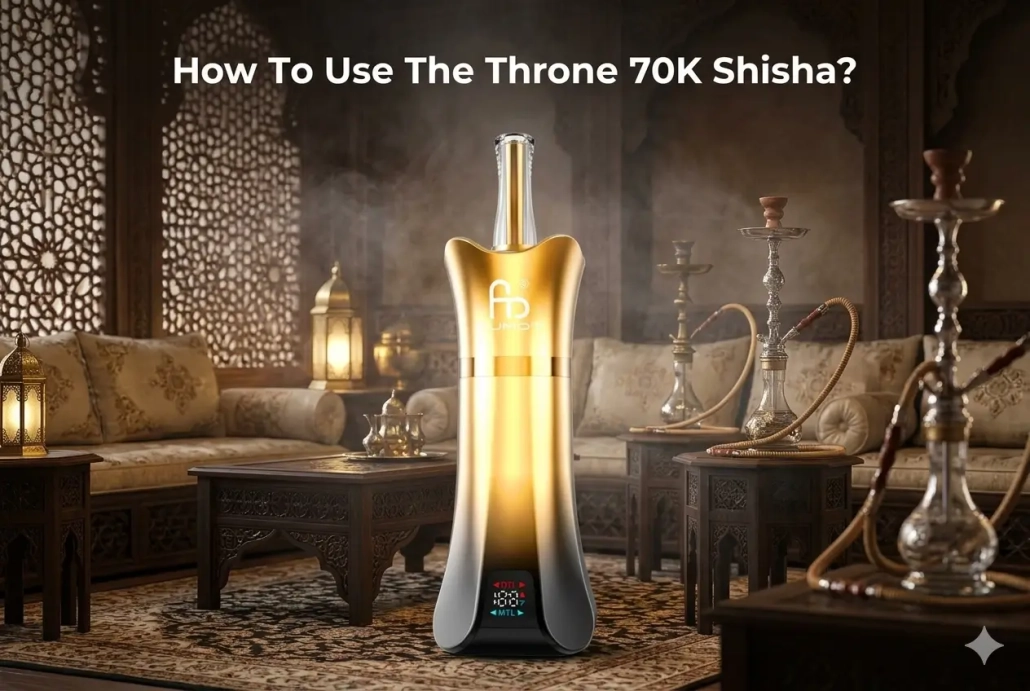
If you have just got your Throne 70K Shisha device and are wondering how to get started correctly, this practical walkthrough covers every basic operation following the official user steps. Knowing how to use the Throne 70K Shisha properly helps you get consistent flavour output, avoid common beginner mistakes and extend your device service life
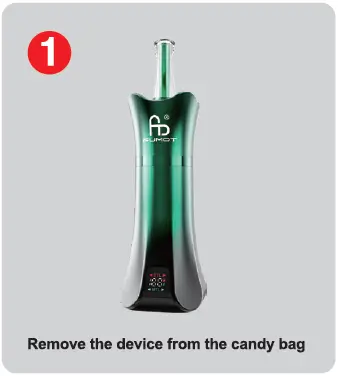
- Remove the device from the candy bag Take your brand‑new Throne 70K Shisha unit out of its original candy‑style packaging bag. Inspect the exterior to make sure there is no visible damage during transit before moving to the next preparation step.
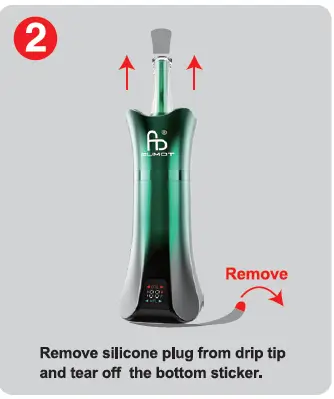
Remove silicone plug from drip tip and tear off the bottom sticker. Pull out the silicone plug fitted on the drip tip. Then peel away the protective bottom sticker from the device. These protective covers are for transport safety; leaving them on will block airflow and stop normal operation.
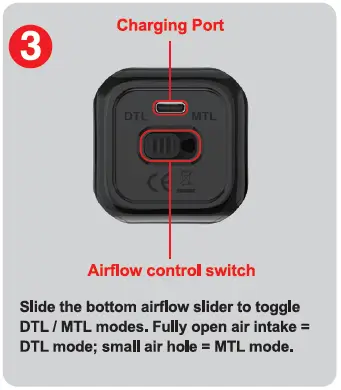
Slide the bottom airflow slider to toggle DTL / MTL modes. Fully open air intake = DTL mode; small air hole = MTL mode. Locate the bottom panel which holds both the charging port and airflow control switch. Use your finger to slide the airflow control slider to switch between two vaping styles. DTL (Direct‑To‑Lung) mode uses fully opened air intake for large, airy clouds. MTL (Mouth‑To‑Lung) mode uses a reduced small air hole for tighter, traditional draw similar to classic shisha‑style hits. You can adjust this slider according to your personal draw preference.
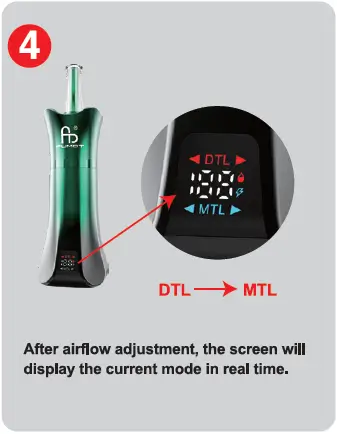
After airflow adjustment, the screen will display the current mode in real time. Once you reposition the bottom airflow slider, the built‑in digital screen will instantly show whether you are running DTL or MTL mode. The on‑screen indicator removes guesswork, so you can always confirm your active mode at a quick glance.
Getting airflow settings right is one of the most important parts of enjoying the Throne 70K Shisha. DTL suits users chasing big vapour clouds, while MTL delivers a restrained, smooth draw for those who prefer milder sessions. Always double‑check the screen readout after changing the airflow slider to confirm your desired setting is active.
Before every session, do a quick visual check: confirm the drip‑tip silicone stopper and bottom protective sticker are fully removed. If you feel weak vapour or tight draws unexpectedly, revisit the bottom airflow slider and screen display to verify your mode selection. When the power runs low, utilise the charging port on the same bottom panel to recharge your unit.
Mastering how to use the Throne 70K Shisha only takes a few simple steps. Follow the official sequence above, match airflow mode to your taste, and you can enjoy stable, satisfying shisha‑style vaping each time.